Your data never leaves
No server, no account, no shared key. Leads, conversations and credentials live in a database on your disk. We couldn't read them even if we wanted to.
desktop app · not SaaS
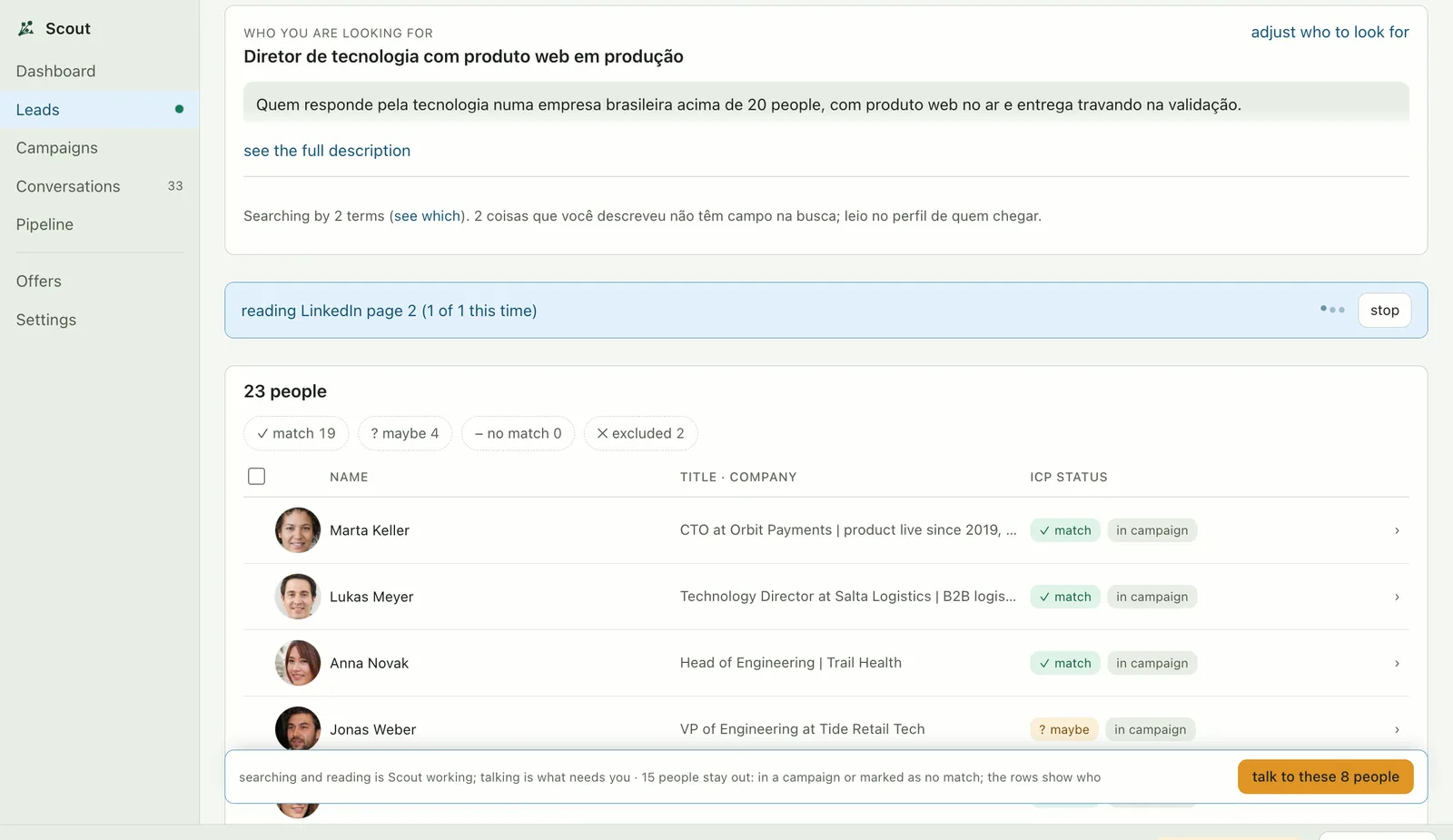
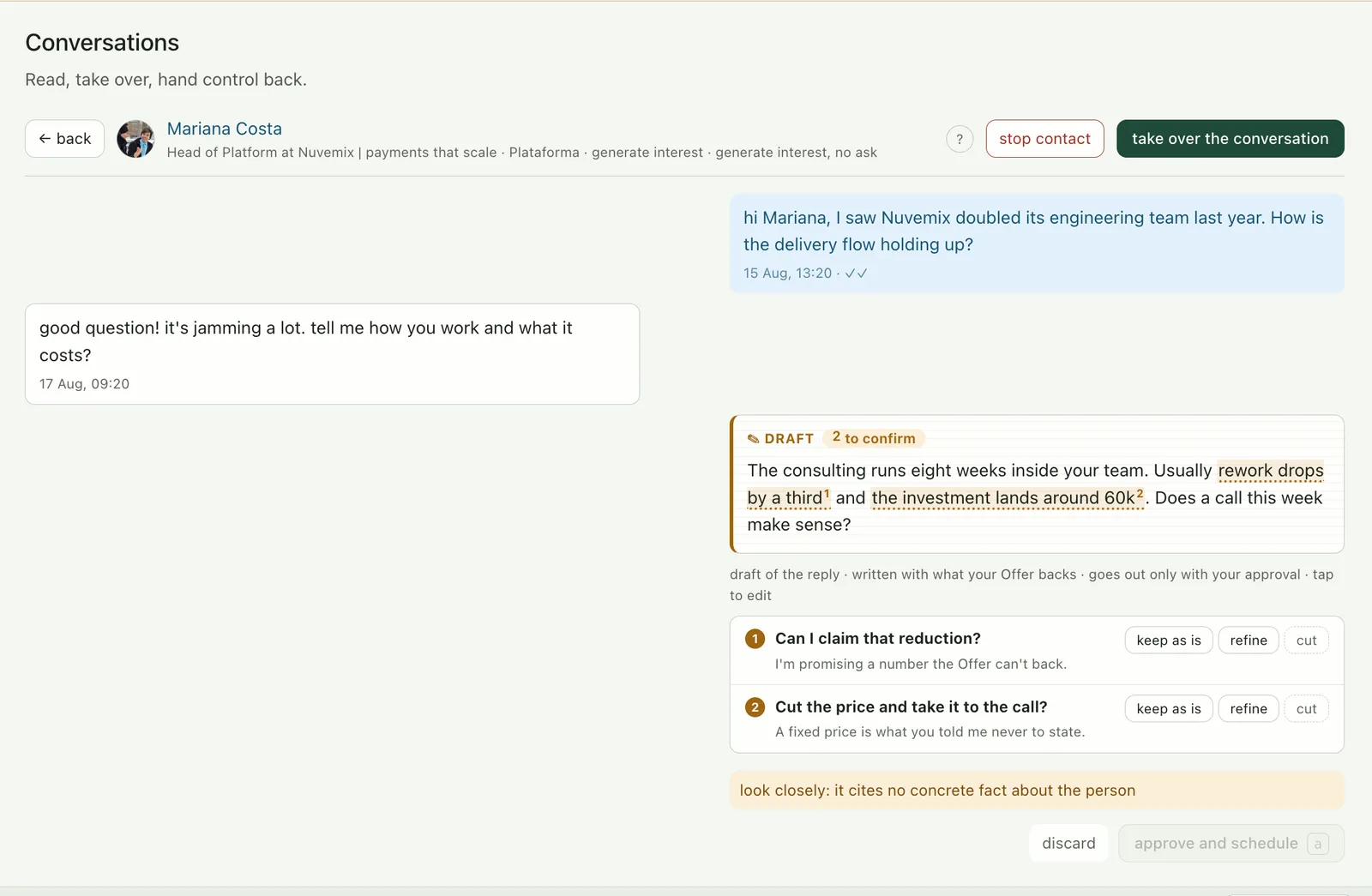
Scout finds the people who match what you sell and explains why, drafts the first message, and keeps the follow-up at a human pace. All from your computer, on your account: no server of ours in the path, nobody reading your conversations, nothing going out in your name before you see it.
macOS (Apple Silicon) · Windows (x64) · no account, no server
the problem
The search returns nine hundred profiles; you pick five on instinct and couldn't say why.
The generic one sounds like everyone else and carries your name at the bottom; the personalized one takes twenty minutes per person.
A client comes in, prospecting stops, and two months later the funnel is dry.
Mining, reading profiles, drafting and keeping the pace is its job; approving and talking is yours. All from your computer, on your account, with no server of ours in between.
how it works
the product
the difference
No server, no account, no shared key. Leads, conversations and credentials live in a database on your disk. We couldn't read them even if we wanted to.
Got Claude Code installed? Zero configuration. Otherwise use your own key: six providers, with the credential encrypted in the system keychain. The only variable cost is your own AI usage, not a monthly fee.
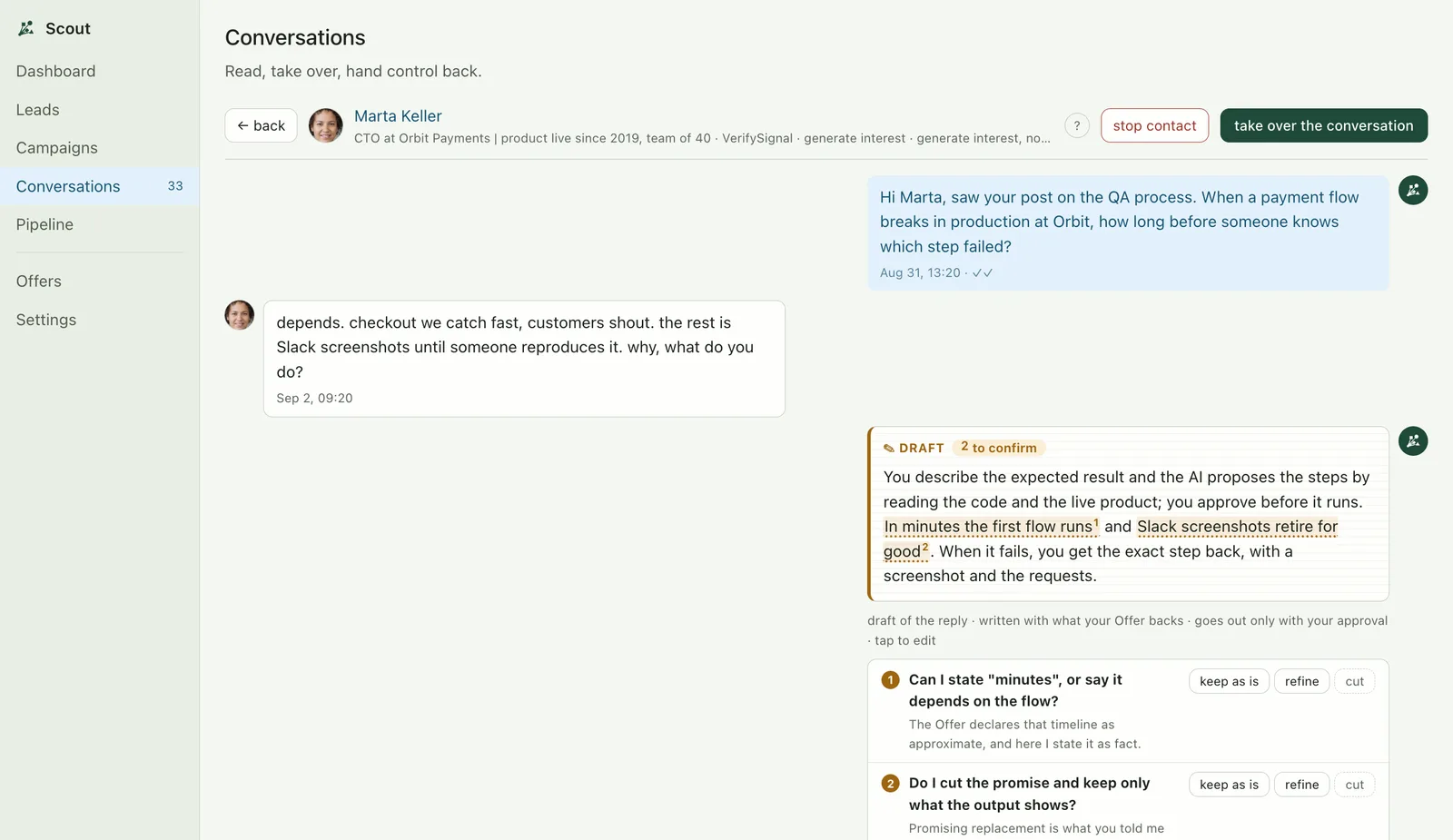
Each campaign picks between Copilot and Automatic, and even on Automatic the first messages go through you. Trust is built, not assumed.
account safety
Safety isn't a Scout feature; it's the thesis. And it starts with the architecture: actions leave from your machine, from your IP, as if it were you, because it is you. Limits are a ceiling, never a goal, and the app hits the brakes on its own when the signal turns bad.
100
Invites per week, half the platform's limit
90s
Minimum gap between actions, with deliberately irregular pacing
20%
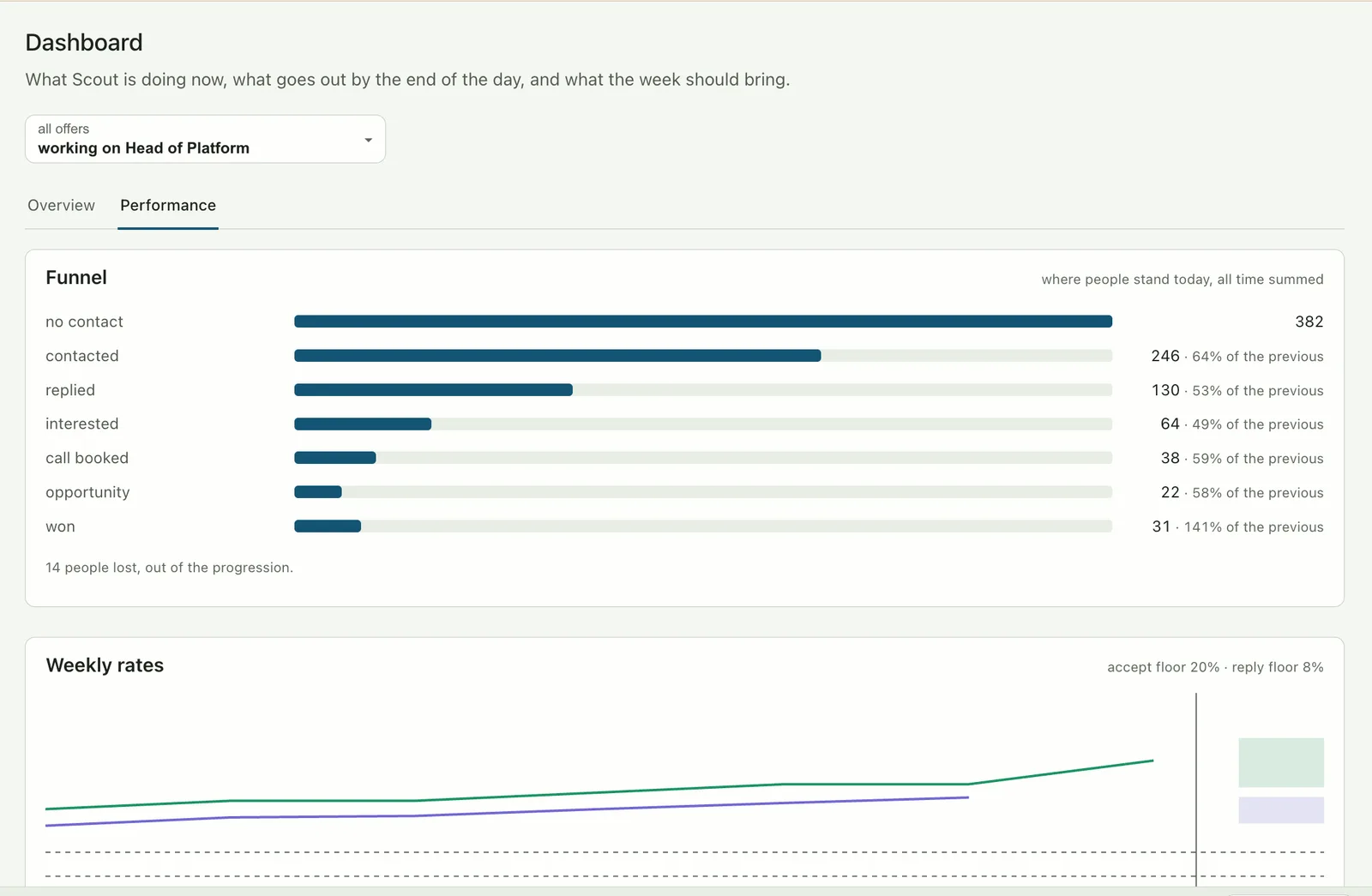
Acceptance floor: below it, the campaign pauses itself
0
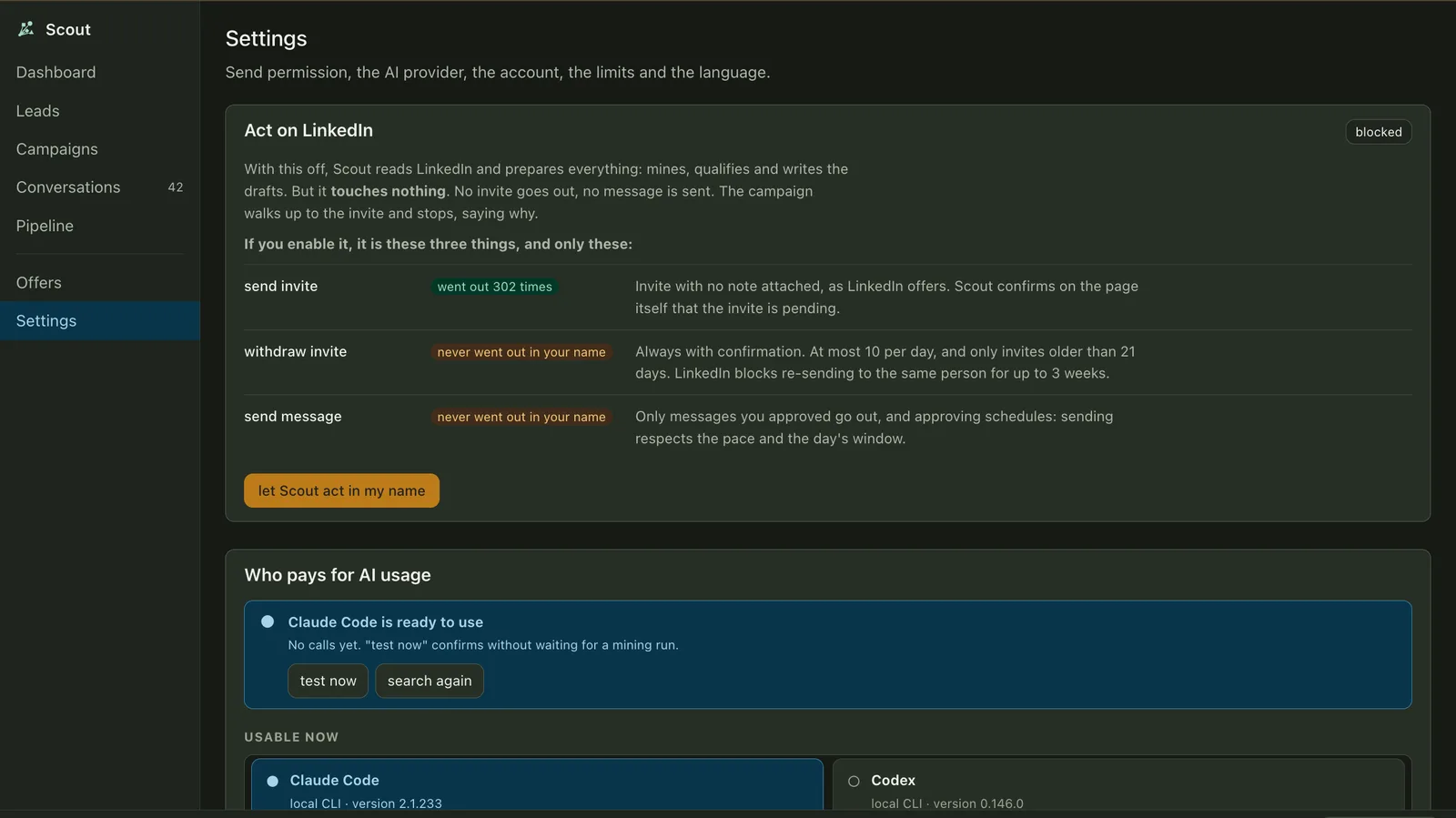
Actions in your name with the "Act on LinkedIn" gate off (the default)
Out of the box, Scout reads, mines and drafts, and touches nothing. Exactly three write actions exist, each auditable: nothing "went out in your name" without a record.
The model produces judgement; deterministic code turns judgement into transitions. Every change is an immutable event you can reread.
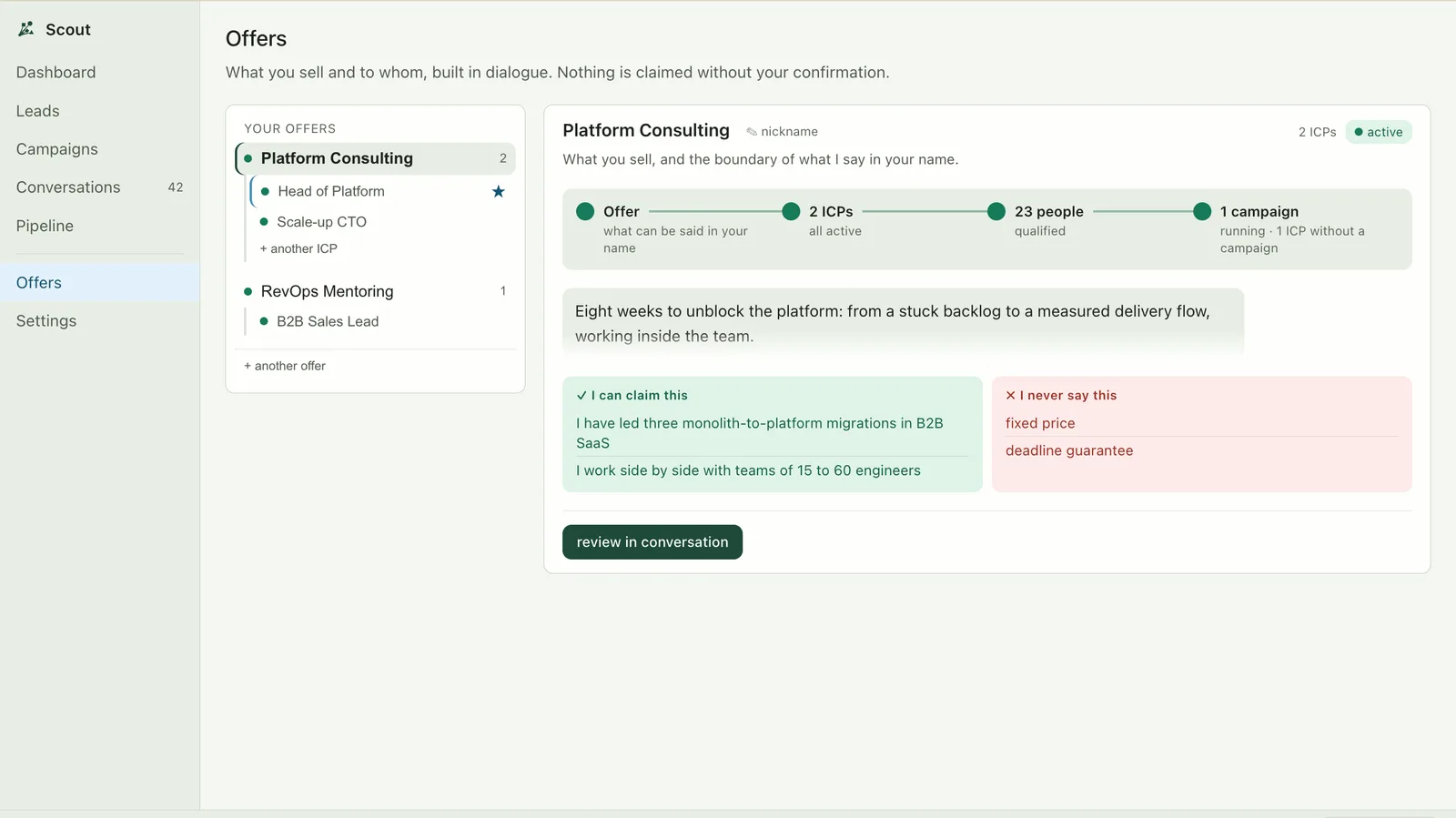
The AI won't assert a price, deadline or client you didn't declare in the Offer. When in doubt it escalates to you instead of making things up.
Bad signal (acceptance dropping, opt-outs rising) demotes the campaign from Automatic back to Copilot without asking. Resuming is your call.
one purchase · yours forever
Pay once, download, use it forever. No subscription, no account, no server of ours. The same app that is out there right now, live, trying to sell itself.
€199 once · macOS (Apple Silicon) · Windows (x64)
questions
Nowhere. Scout has no server: leads, conversations and credentials live in a SQLite database on your disk. The interface literally cannot load anything from the network.
No. Scout isn't SaaS: you download the app and it's yours. There's no account, no plan, and it doesn't depend on our servers to work. The only variable cost is the usage of whatever AI you choose.
Scout's whole design starts from that question. First, the architecture: actions leave from your machine, from your IP, not from a datacenter. Then the brakes: a cap of 100 invites/week (half the platform's limit), a 90-second minimum interval, irregular pacing and automatic pauses when the signal turns bad.
Scout automates your own LinkedIn account, on your machine. Automation is against LinkedIn's terms. Scout keeps human pace and hard limits to protect the account. But the account is yours, and so is the risk.
You use the AI you already have. With Claude Code installed it's zero configuration; otherwise bring your own API key (Anthropic, OpenAI or Gemini). The key is encrypted in the system keychain.
The app isn't signed yet. On macOS: right-click → Open (just once). On Windows: "More info" → "Run anyway". The warning disappears on later launches.
Not for now. Scout targets macOS on Apple Silicon (M1 and later) and Windows x64. Linux comes later.